What Is Website Downtime?
Website downtime is a period when a website, web application, or important website function is unavailable or does not respond as expected.
When someone visits a website, they expect the page to load normally. If the server cannot respond, the domain cannot be resolved, the application produces an error, or an important service is unavailable, visitors may experience downtime.
Downtime can affect an entire website or only a specific part of it.
For example, a website's homepage may load normally while its login page, checkout, contact form, or customer dashboard is unavailable. From a simple homepage check, everything may appear fine, while an important business function is actually broken.
Website downtime can happen to websites of every size. Small business websites, online stores, WordPress websites, SaaS applications, blogs, web applications, and large online platforms can all experience availability problems.
The causes can range from hosting and server problems to DNS configuration, software errors, traffic spikes, expired certificates, network failures, security rules, and third-party service problems.
This guide explains the most common causes of website downtime, how to identify what may be wrong, why some outages are difficult to notice, and how website uptime monitoring can help you detect availability problems sooner.
Why Do Websites Go Down?
A website depends on several systems working together.
Depending on the website, these systems may include:
- Web hosting infrastructure.
- Web servers.
- Databases.
- DNS services.
- Domain registration.
- SSL/TLS certificates.
- Content delivery networks.
- Firewalls and security systems.
- Website software.
- Plugins and extensions.
- Third-party APIs and services.
- Internet and network infrastructure.
A problem with any important component can potentially affect website availability.
Some outages are caused by infrastructure failures. Others are caused by configuration changes, software updates, unexpected traffic, expired domains, or human error.
In some situations, the website is completely unavailable. In others, only visitors from a particular region or network are affected.
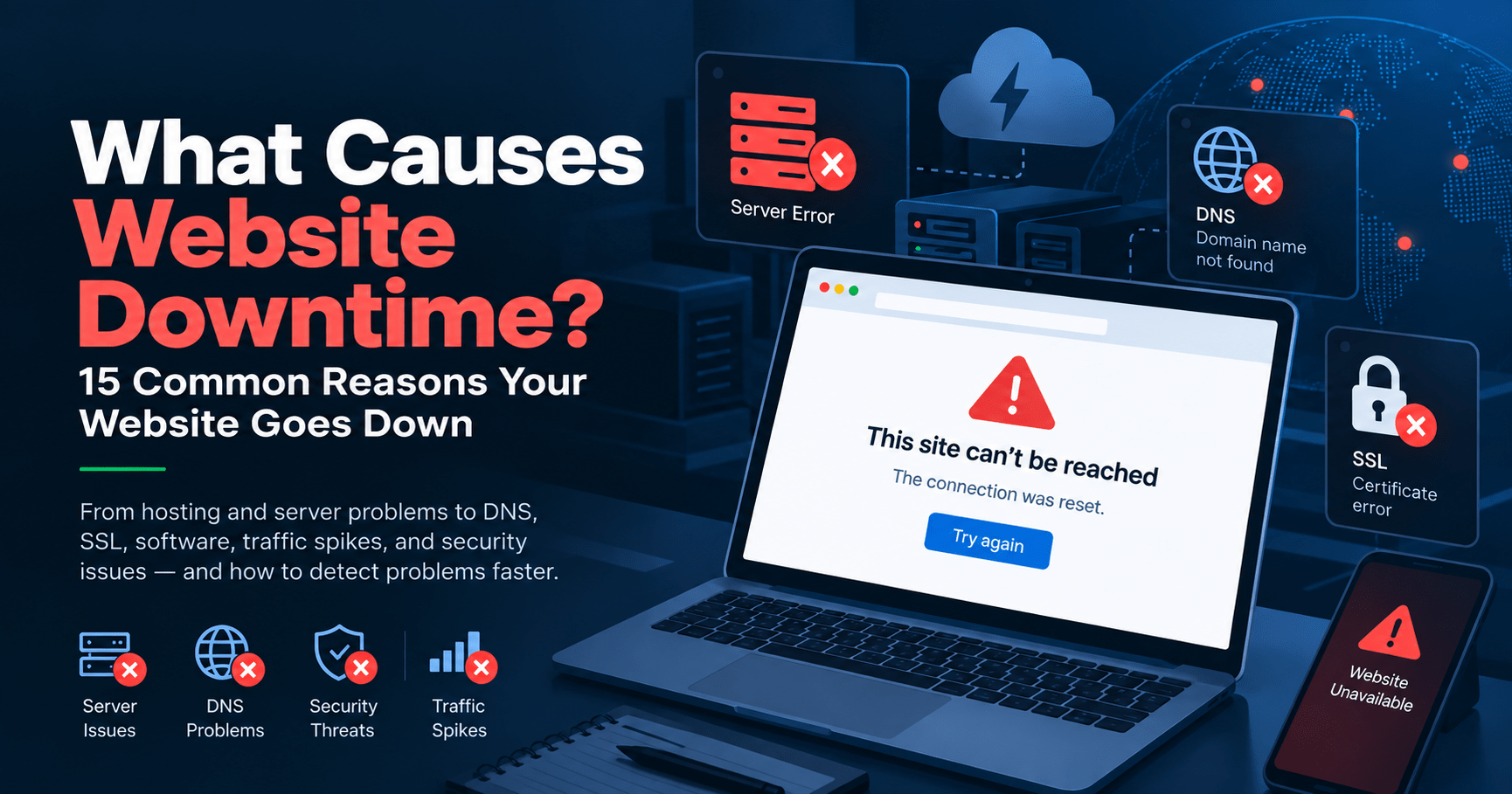
15 Common Causes of Website Downtime
There is no single reason why websites go down. Understanding the most common causes can make troubleshooting easier and can also help website owners decide what they should monitor.
1. Hosting Server Failure
Websites need hosting infrastructure to serve their pages and applications to visitors.
If the server hosting a website experiences a hardware failure, software problem, network failure, infrastructure issue, or other outage, the website may become unavailable.
Depending on the hosting environment, the problem may affect a single website or many websites hosted on the same infrastructure.
Hosting problems can also occur during infrastructure maintenance, migrations, upgrades, or unexpected technical incidents.
If the hosting server cannot respond to requests, visitors may see server errors, connection failures, timeouts, or other browser errors.
2. Server Overload
A server has limited resources. These can include CPU, memory, storage, database capacity, network capacity, and other system resources.
If a website receives more traffic or consumes more resources than the server can handle, performance can deteriorate and the website may eventually become unavailable.
Common causes of server overload include:
- Sudden traffic increases.
- Large numbers of simultaneous visitors.
- Resource-heavy plugins.
- Poorly optimized applications.
- Database queries consuming excessive resources.
- Background processes using server resources.
- Insufficient hosting capacity.
Server overload does not always cause an immediate complete outage. A website may become progressively slower before requests begin failing.
3. Unexpected Traffic Spikes
A sudden increase in website traffic can put significant pressure on hosting infrastructure.
Traffic spikes can occur because of:
- A successful marketing campaign.
- A viral social media post.
- A product launch.
- A news article mentioning the business.
- A promotional campaign.
- A sudden increase in search traffic.
- A large event or announcement.
High traffic is normally a positive development for a business, but if the infrastructure is not prepared for the increase, the website may slow down or become unavailable.
This is one reason website owners should consider both availability and response-time monitoring.
4. DNS Problems
DNS, or the Domain Name System, helps translate domain names into the information required to reach the appropriate online service.
When someone enters a domain name into a browser, DNS resolution is part of the process that helps the browser determine where to connect.
If DNS records are incorrectly configured, changed accidentally, expired, or affected by a DNS service problem, visitors may be unable to reach the website.
DNS problems can be particularly confusing because the underlying web server may still be working normally.
A website can therefore appear to be completely down even though the hosting server itself is operational.
5. Domain Expiration
A website's domain name is an important part of its online identity and accessibility.
If a domain expires and is not renewed, the normal website address may stop directing visitors to the website.
Domain-related problems can also occur when DNS settings are changed incorrectly or when nameservers are configured incorrectly.
Because domain registration and website hosting are separate services, a website owner may have a functioning server while the domain itself is no longer pointing to it correctly.
6. SSL Certificate Problems
Modern websites commonly use HTTPS to establish secure connections between visitors and the website.
HTTPS relies on SSL/TLS certificates.
If a certificate expires, is incorrectly configured, does not match the domain, or has another configuration problem, visitors may encounter browser warnings or connection errors.
SSL problems can be especially important for websites that handle logins, payments, forms, or other sensitive interactions.
Even if the server itself is online, an SSL configuration problem can prevent visitors from accessing the website normally.
7. Software Bugs and Application Errors
Websites are built using software, and software can contain bugs or configuration problems.
A programming error can cause an application to stop responding correctly or generate server errors.
Problems may occur after:
- New software deployments.
- Application updates.
- Configuration changes.
- Code changes.
- Database changes.
- Integration changes.
- Third-party API updates.
Some software problems affect the entire website, while others affect only a specific page or function.
8. WordPress Plugin or Theme Conflicts
WordPress websites often rely on plugins and themes to provide additional functionality.
While these extensions can add useful features, conflicts between plugins, themes, WordPress itself, or server software can sometimes cause errors.
For example, an update to one plugin may introduce compatibility problems with another plugin.
A theme update could also interact incorrectly with existing functionality.
Depending on the nature of the problem, visitors may see a completely broken website, a server error, a blank page, or only a broken feature.
This is why monitoring a WordPress website after major updates or deployments can be useful.
9. Database Problems
Many websites depend on databases to store information.
E-commerce stores may use databases for products, orders, customers, and inventory. SaaS applications may use databases for accounts, settings, transactions, and application data.
If the database becomes unavailable, overloaded, corrupted, incorrectly configured, or inaccessible, important website functions may stop working.
A database problem does not necessarily mean that the entire web server is down.
The server may still respond while the application fails because it cannot retrieve the information it needs.
10. CDN Problems
A Content Delivery Network, commonly called a CDN, distributes website content through infrastructure located in different geographic locations.
CDNs can help websites deliver content efficiently to visitors in different regions.
However, a CDN also becomes another component in the delivery chain.
Configuration problems, routing issues, certificate problems, or infrastructure incidents involving a CDN can affect website accessibility.
In some situations, visitors may experience problems through the CDN while the origin server remains available.
11. Firewall and Security Configuration
Websites often use firewalls, Web Application Firewalls, security plugins, access-control systems, and other technologies to protect online services.
These systems are important for security, but incorrect rules can sometimes block legitimate visitors.
For example, an overly restrictive firewall rule could prevent requests from a particular IP address, region, network, or user agent.
This can create a situation where the website works normally for some visitors but not for others.
Security configuration should therefore be considered when troubleshooting regional or user-specific accessibility problems.
12. Failed Updates
Websites are regularly updated.
Updates can involve operating systems, server software, WordPress, plugins, themes, frameworks, databases, applications, or other components.
Most updates are intended to improve security, compatibility, functionality, or performance.
However, an update can sometimes introduce an incompatibility or configuration problem.
A failed update can result in application errors, broken functionality, or complete website unavailability.
For websites that are frequently updated, monitoring can provide an additional way to identify problems after changes are deployed.
13. Server Maintenance
Hosting providers and website operators sometimes perform planned maintenance.
Maintenance may involve:
- Server upgrades.
- Hardware replacement.
- Operating system updates.
- Network maintenance.
- Database maintenance.
- Security updates.
- Infrastructure migrations.
Well-planned maintenance can minimize disruption, but temporary availability issues can still occur.
Monitoring can help confirm whether the website becomes available again after maintenance has been completed.
14. Network Problems
A visitor does not connect directly to a website in isolation.
The connection can pass through multiple networks, routers, internet service providers, data centers, and other infrastructure before reaching the website.
A problem anywhere along the route can potentially affect accessibility.
Network problems can include routing failures, connectivity issues, congestion, ISP problems, or infrastructure failures.
This is another reason why testing a website from only one location does not always provide a complete picture of its availability.
15. Third-Party Service Failures
Modern websites often depend on external services.
These may include:
- Payment gateways.
- Authentication providers.
- Email services.
- Cloud storage.
- Analytics platforms.
- Maps.
- APIs.
- CDN services.
- External databases.
- Other SaaS platforms.
If an important third-party service becomes unavailable, a website function may stop working even though the website's own server is operating normally.
For example, an online store may load correctly but fail to complete payments because its payment provider is experiencing an incident.
Can a Website Be Down Without the Server Being Down?
Yes.
A website can be inaccessible even when the underlying server is running.
Website availability depends on more than whether a server is powered on.
Problems with DNS, SSL certificates, databases, firewalls, CDNs, applications, networks, or third-party services can all affect what visitors experience.
For example, imagine that a server is running normally but its domain's DNS records are incorrect.
The server may be perfectly healthy, but visitors using the domain name may still be unable to reach the website.
This distinction is important when troubleshooting an outage because checking the server alone may not explain what visitors are experiencing.
Can a Website Be Down for Only Some Visitors?
Yes.
A website does not have to be unavailable everywhere to cause a real availability problem.
A website may work normally for you while customers in another location cannot access it.
Possible reasons include:
- Regional DNS problems.
- Routing issues.
- CDN problems.
- Firewall restrictions.
- Geographic access rules.
- ISP problems.
- Regional infrastructure failures.
- Network-specific connectivity issues.
This is one of the limitations of manually checking your own website.
If you open the website from your office and it loads normally, you know that the website is accessible from your current connection.
You do not necessarily know whether every visitor can access it.
Why Website Downtime Can Be Difficult to Notice
One of the biggest problems with website downtime is that it may not be obvious to the website owner.
Consider a simple example.
You check your website at 9:00 AM and everything appears normal.
At 9:20 AM, the hosting server develops a problem.
Your website remains unavailable until 10:45 AM.
You check it again at 11:00 AM and the website is working normally.
Without monitoring, you may never know that the outage occurred.
During that period, however, customers or visitors may have encountered errors.
The problem becomes even more difficult when outages happen outside business hours, during weekends, or while the website owner is travelling.
How Can You Check Why Your Website Is Down?
If your website appears to be unavailable, there are several steps you can take to investigate the problem.
1. Open the Website Manually
Start by opening the website in a browser.
Check whether the homepage loads and pay attention to any error message displayed by the browser.
2. Try Another Internet Connection
If the website does not load, try accessing it using another network.
For example, if you are connected through Wi-Fi, try a mobile connection.
If the website works on one connection but not another, the problem may be related to DNS, routing, ISP connectivity, firewall rules, or another network-specific issue.
3. Check Other Pages
Don't assume that the homepage represents the entire website.
Try important pages and functions such as:
- Login.
- Contact forms.
- Product pages.
- Shopping cart.
- Checkout.
- Customer dashboard.
- Search.
- Important application features.
This can help determine whether the outage affects the entire website or only a specific function.
4. Identify the Error Message
The error displayed by the browser or application can provide useful clues.
Common HTTP status codes include:
- 404 — The requested resource could not be found.
- 500 — Internal server error.
- 502 — Bad gateway.
- 503 — Service unavailable.
- 504 — Gateway timeout.
These codes do not always identify the exact root cause, but they can help narrow down the investigation.
5. Check Your Hosting Provider
If you suspect an infrastructure problem, check whether your hosting provider has published an incident or maintenance notice.
Hosting providers may publish information about outages affecting their infrastructure.
6. Check DNS Configuration
If the domain does not resolve correctly, review its DNS configuration.
Check whether the appropriate records and nameservers are configured correctly.
7. Check SSL/TLS
If visitors are receiving certificate warnings or HTTPS connection errors, investigate the website's SSL/TLS configuration and certificate status.
8. Test From Another Location
Testing from another network or geographic location can help determine whether the problem is global or regional.
Why Manual Website Checking Isn't Enough
Manual checking is useful when troubleshooting a problem, but it is not a practical way to continuously monitor a website.
You cannot realistically sit in front of your website and check it every few minutes, every hour, every night, and every weekend.
Even if you check your website several times a day, there are long periods during which an outage could occur without being noticed.
For example:
- You check at 8:00 AM.
- The website goes down at 8:15 AM.
- You are busy with other work.
- The website recovers at 9:30 AM.
- You check again at 10:00 AM.
You may never realize that a 75-minute outage happened.
Automated monitoring addresses this specific limitation by performing website checks without requiring someone to remember to do them manually.
How Does Website Uptime Monitoring Help?
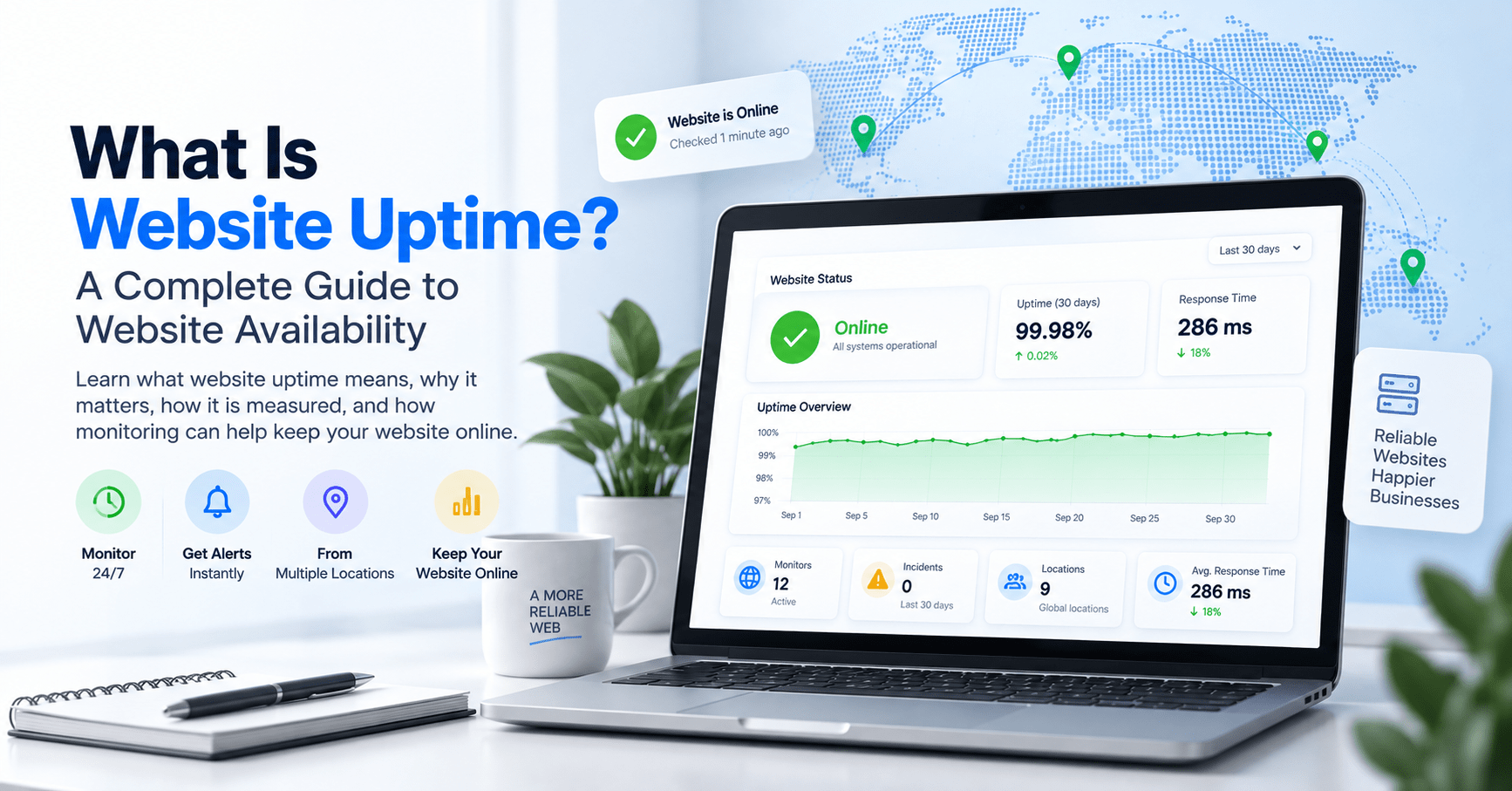
Website uptime monitoring automatically checks a website at configured intervals to determine whether it is available and responding.
A typical monitoring process works like this:
- The website is added to the monitoring system.
- The monitoring interval is configured.
- The monitoring system sends a request to the website.
- The response is evaluated.
- A failed response can be recorded as a potential availability problem.
- The responsible person can receive an alert through the configured notification method.
- Additional checks can determine whether the website has recovered.
This creates a continuous monitoring process instead of relying on occasional manual checks.
Why Monitoring From Multiple Locations Matters
Monitoring from a single location can provide useful information, but it does not necessarily represent the experience of every visitor.
Websites are accessed by people from different cities, countries, networks, and internet service providers.
A regional routing problem or DNS issue may affect one group of visitors while leaving another group unaffected.
Monitoring from multiple locations can therefore provide additional visibility into regional availability.
For businesses that serve customers in multiple countries or regions, this can be particularly useful.
What Are Downtime Alerts?
A downtime alert is a notification generated when a monitoring system detects a potential availability problem.
The purpose of the alert is to make the responsible person aware that an investigation may be required.
Depending on the monitoring service, alerts may be delivered through channels such as:
- Email.
- SMS.
- Phone calls.
- WhatsApp or messaging services.
- Push notifications.
- Other integrations.
The available notification methods depend on the monitoring platform and the plan being used.
The important point is that the website owner does not have to discover every outage manually.
Does Website Monitoring Prevent Downtime?
No.
Website monitoring does not guarantee that a website will never go down.
It also does not automatically fix every server, DNS, software, network, or third-party service problem.
Its primary purpose is detection, visibility, and notification.
For example, if a hosting server fails, monitoring cannot necessarily repair the server.
What monitoring can do is identify that the website is no longer responding and provide an alert so that the responsible team can begin investigating.
This distinction is important:
Monitoring helps you know that a problem exists. It does not replace the systems or people responsible for fixing it.
How Long Can Website Downtime Go Undetected?
Without automated monitoring, downtime can remain unnoticed for as long as it takes someone to discover it.
That could be:
- A few minutes.
- Several hours.
- Overnight.
- Until a customer reports the problem.
The actual duration depends on how frequently the website is manually checked and whether anyone notices the problem through another channel.
For a business that depends heavily on its website, an extended period of unnoticed downtime can mean that an important online service is unavailable without the responsible team realizing it.
Website Downtime vs. Slow Website Performance
Downtime and poor performance are related, but they are not the same problem.
Downtime generally means that a website or service is unavailable or cannot respond successfully.
Performance problems occur when the website is available but takes too long to respond or load.
For example, a website that returns a successful response after one second is available.
A website that eventually responds after 15 seconds may also technically be available, but visitors may experience a significantly slower experience.
This is why website owners may benefit from monitoring both:
- Availability.
- Response time.
Monitoring both metrics provides a broader view of website reliability.
How Can You Reduce the Impact of Website Downtime?
You cannot eliminate every possible cause of downtime, but you can take steps to improve your ability to identify and respond to problems.
Use Reliable Hosting
Choose hosting infrastructure that matches your website's traffic, resource requirements, and operational needs.
Keep Software Updated
Keep your website software, plugins, themes, frameworks, and other components maintained while testing important changes appropriately.
Monitor Your Website
Use automated uptime monitoring so that availability problems can be detected without relying entirely on manual checks.
Monitor From Multiple Locations
If your website serves visitors in different regions, consider monitoring from multiple locations to gain broader visibility.
Monitor Response Time
Don't focus only on whether the website is technically online. Monitoring response time can help identify performance deterioration.
Maintain Domain and SSL Renewals
Keep track of domain registration and SSL/TLS certificate expiration dates.
Review Changes
If a website becomes unavailable shortly after an update or configuration change, consider that change as part of the troubleshooting process.
Have a Response Process
Make sure the appropriate person knows what to do when an outage alert is received.
Monitoring is most useful when there is a clear process for investigating and resolving the problems it detects.
Website Downtime Checklist
If your website is down, the following checklist can help you begin the investigation:
- Open the website manually.
- Check the browser error message.
- Try another internet connection.
- Test another important page or function.
- Check whether DNS is resolving correctly.
- Check the SSL/TLS certificate.
- Check the hosting provider for incidents.
- Check recent software or configuration changes.
- Review server resource usage if available.
- Check CDN and firewall configuration.
- Check important third-party services.
- Test the website from another geographic location.
- Review your uptime monitoring history and alerts.
This process can help separate a global outage from a regional, network-specific, application-specific, or configuration-related problem.
What Should You Monitor Besides the Homepage?
Monitoring only the homepage can be useful, but it may not tell you whether the most important parts of your website are functioning correctly.
Depending on the type of website, you may also want to monitor important URLs or services such as:
- Login pages.
- Customer dashboards.
- Checkout pages.
- Payment endpoints.
- API endpoints.
- Contact forms.
- Important landing pages.
- Application endpoints.
- Other business-critical URLs.
For example, an online store could have a working homepage while its checkout system is unavailable.
Monitoring important services separately can provide better visibility than relying on a single homepage check.
Who Should Care About Website Downtime?
Website downtime matters to anyone who relies on a website or online service.
Small Businesses
A small business may depend on its website for enquiries, contact information, bookings, or customer acquisition.
If the website becomes unavailable, potential customers may have difficulty reaching the business.
E-commerce Businesses
For online stores, website availability can directly affect customers' ability to browse products, add items to a cart, and complete purchases.
Web Agencies
Agencies managing multiple client websites can use monitoring to maintain visibility across their client portfolio.
Developers
Developers can use monitoring to observe production websites and applications after deployments, migrations, updates, and configuration changes.
SaaS Companies
SaaS businesses depend on online availability because customers access their services through the internet.
Content Websites
Blogs, publishers, and content websites may rely on search traffic, advertising, subscriptions, affiliate revenue, or direct visitors.
For these websites, availability can be an important part of maintaining an online presence.
What Is the Difference Between an Outage and a Temporary Error?
Not every failed request represents a prolonged website outage.
Networks can experience temporary problems, individual requests can fail, and services can sometimes recover quickly.
This is why monitoring systems may use repeated checks or other detection logic before treating a failure as a confirmed outage.
The exact approach varies between monitoring platforms.
For website owners, the important consideration is to understand how the monitoring service determines that a website is unavailable and how it handles recovery.
How SITEUPTIME Helps With Website Downtime
SITEUPTIME is a website monitoring platform designed to help website owners, businesses, developers, agencies, and online service providers monitor website availability.
Instead of depending entirely on manual checks, automated monitoring can continuously check your websites and provide visibility into availability.
SITEUPTIME can be used to monitor important online properties such as:
- Business websites.
- E-commerce websites.
- WordPress websites.
- Landing pages.
- SaaS applications.
- Client websites.
- Online services.
- Important web endpoints.
With monitoring in place, website owners can spend less time repeatedly checking whether their websites are working and more time focusing on their business or technical responsibilities.
Why Automated Monitoring Is Useful for Multiple Websites
Monitoring one website manually may seem manageable.
Monitoring five, ten, twenty, or more websites is a different challenge.
As the number of websites increases, manual checking becomes increasingly repetitive and difficult to maintain consistently.
This is especially relevant for web agencies, freelancers, developers, and businesses managing multiple online properties.
Automated monitoring provides a scalable way to perform regular availability checks across multiple websites without requiring someone to manually open each website throughout the day.
What Happens When a Website Goes Down?
The exact sequence depends on the cause of the outage.
A typical incident may look like this:
- A website or service stops responding normally.
- An automated monitoring check detects the problem.
- The monitoring system records the failed check.
- Additional checks may be performed according to the monitoring system's detection logic.
- An outage alert can be sent to the responsible person.
- The website owner or technical team investigates the underlying cause.
- The issue is fixed or the affected service recovers.
- Subsequent monitoring checks detect the recovery.
The monitoring system provides visibility throughout this process, while the actual technical resolution depends on the cause of the outage.
Frequently Asked Questions About Website Downtime
Why do websites go down?
Websites can go down because of hosting failures, server overload, traffic spikes, DNS problems, domain issues, SSL certificate problems, software bugs, plugin conflicts, database failures, CDN issues, firewall configuration, failed updates, maintenance, network problems, or third-party service failures.
What is the most common cause of website downtime?
There is no single cause that applies to every website. Downtime can result from infrastructure, software, configuration, networking, security, traffic, or third-party service problems. The actual cause depends on the website and the incident.
Can a website go down because of too much traffic?
Yes. A sudden increase in traffic can consume server resources and cause a website to become slow or unavailable if the infrastructure cannot handle the workload.
Can DNS cause website downtime?
Yes. Incorrect DNS records, nameserver problems, DNS service incidents, or propagation-related issues can prevent visitors from reaching a website correctly.
Can an expired SSL certificate take a website down?
An expired or incorrectly configured SSL/TLS certificate can cause browser warnings or HTTPS connection failures, potentially preventing visitors from accessing the website normally.
Can a WordPress plugin cause downtime?
Yes. Plugin conflicts, incompatible updates, programming errors, and other plugin-related problems can cause WordPress errors or make important website functions unavailable.
Can a website be down only in one country?
Yes. Regional DNS issues, routing problems, CDN issues, firewall rules, network problems, and geographic access restrictions can cause a website to be unavailable in one region while remaining accessible elsewhere.
How do I know if my website is down?
You can manually open the website, test it from another network, check important pages, review browser errors, and test from another location. Automated uptime monitoring can also continuously check the website and provide alerts when availability problems are detected.
Does uptime monitoring fix website downtime?
No. Uptime monitoring primarily detects availability problems and provides information or alerts. The underlying problem still needs to be investigated and resolved by the appropriate person or system.
Why should I monitor my website from multiple locations?
Multiple monitoring locations can help identify regional availability problems that may not be visible from a single monitoring location.
Should I monitor my homepage only?
Monitoring the homepage is useful, but websites with important functions may also benefit from monitoring critical pages, endpoints, login systems, checkout pages, APIs, or other important services.
Can a website be online but still have problems?
Yes. A website may respond successfully while important features such as login, checkout, payments, APIs, or forms are unavailable. A website can also be available but unusually slow.
How quickly can website monitoring detect downtime?
Detection time depends on the monitoring interval, monitoring method, confirmation logic, and other settings used by the monitoring service. More frequent checks can generally provide faster opportunities to detect a change in availability.
Is website downtime bad for a business?
The impact depends on how the business uses its website and how long the website remains unavailable. Downtime can prevent visitors from accessing information, submitting enquiries, making purchases, logging into services, or completing other important actions.
Final Thoughts
Website downtime can happen for many different reasons.
A website may become unavailable because of hosting problems, overloaded servers, unexpected traffic, DNS configuration, expired domains, SSL certificate issues, software bugs, WordPress conflicts, database problems, CDN failures, security rules, network problems, maintenance, or third-party services.
Some outages are obvious. Others can affect only a particular page, function, network, or geographic region.
That makes website availability difficult to understand through occasional manual checks alone.
Automated uptime monitoring provides a practical way to continuously check important websites and receive information when availability problems are detected.
It does not prevent every outage and it does not replace troubleshooting, but it can reduce the amount of time a problem remains unnoticed.
For businesses, agencies, developers, SaaS companies, e-commerce stores, and anyone who depends on an online presence, knowing when a website stops responding can be an important part of managing that website.
The first step toward responding to website downtime is knowing that it has happened.
Monitor Your Website With SITEUPTIME
Don't rely entirely on manual website checks or wait for a customer to tell you that your website is unavailable.
SITEUPTIME helps you monitor your websites automatically and stay informed about website availability.
Set up monitoring for the websites and online services that matter to you, receive notifications when problems are detected, and keep track of website availability over time.
Monitor. Detect. Respond.
Keep Your Website Online With SITEUPTIME
Your website may be working perfectly right now, but the important question is: will you know when that changes?
SITEUPTIME helps you monitor your websites automatically, detect availability problems, and stay informed when something goes wrong.
Start monitoring your website today.
🛠 Free Web Tools
Explore our collection of free web tools for website owners, developers, and businesses.
Explore Free Web Tools →
🤝 Be Our Affiliate
Want to recommend SITEUPTIME to your audience or customers?
Become a SITEUPTIME Affiliate →
📩 Subscribe to Our Newsletter
Get useful website monitoring, uptime, performance, and online business insights delivered to your inbox.
Subscribe to Our Newsletter →
Monitor. Detect. Respond.